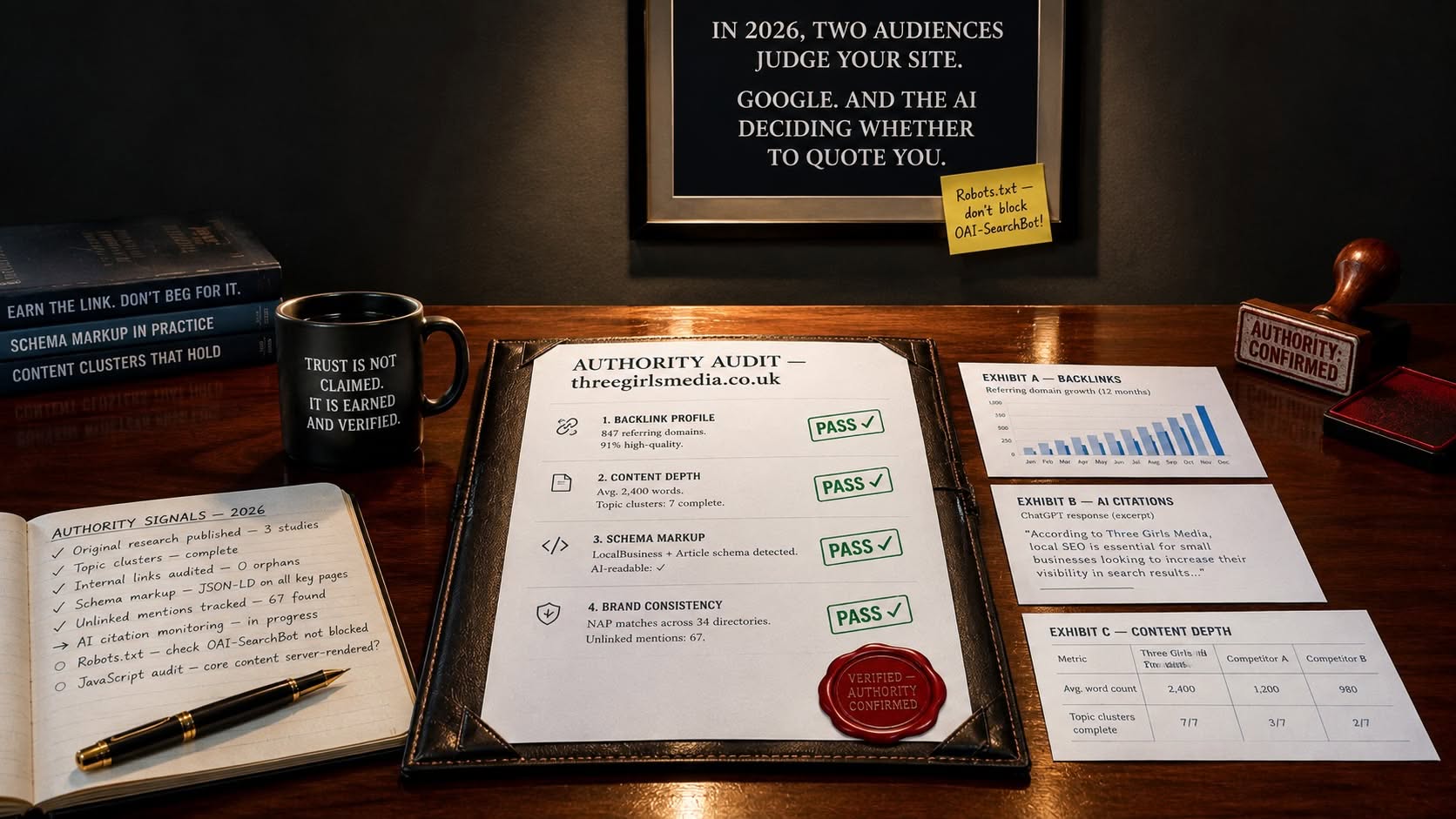
| Key Insight | Explanation |
|---|---|
| PWAs bridge web and native apps | Progressive web apps use standard web technologies to deliver app-like experiences, including offline access and push notifications, without requiring an app store download. |
| Performance is non-negotiable | PWAs must load fast on any network. Google’s Core Web Vitals framework sets measurable benchmarks for speed, responsiveness, and visual stability that directly affect search rankings. |
| Service workers are the engine | A service worker (a background JavaScript file) handles caching, offline functionality, and push notifications, making it the core technical component of any PWA. |
| Mobile-first design is essential | The majority of PWA users access content on mobile devices. Designing for small screens first, then scaling up, produces better results than retrofitting a desktop layout. |
| PWAs reduce development costs | A single PWA codebase replaces separate iOS, Android, and web builds, cutting development and maintenance overhead significantly for small and medium-sized businesses. |
| The market is growing fast | Industry analysts project the global PWA market to reach $21.24 billion by 2033, reflecting strong demand for high-performing, cross-platform digital experiences. |
Progressive web app design is one of the most significant shifts in how businesses build their digital presence. If your website still behaves like a static brochure on a smartphone, you’re losing visitors before they’ve even read your first line. Progressive web app design is the discipline of creating web experiences that combine the reach of a website with the performance and engagement of a native mobile app. It matters because users expect speed, reliability, and interactivity regardless of their device or connection quality. This guide covers what PWAs are, how they work technically, the real business benefits, common design pitfalls, and the best practices your team should follow in 2026.
What Is Progressive Web App Design?
Progressive web app design is the practice of building web applications that deliver native app-like experiences using standard web technologies, including offline access, push notifications, and home screen installation.
Defining the PWA
A progressive web app (PWA) is a web application built with HTML, CSS, and JavaScript that behaves like a platform-specific app on any device. According to Mozilla’s MDN Web Docs, a PWA can run on multiple platforms from a single codebase while providing the user experience of a native app [1]. That means fast load times, offline capability, and the ability to install directly to a device’s home screen, all without going through an app store.
The term “progressive” comes from the principle of progressive enhancement, a web development methodology that ensures core functionality works for every user, then layers on richer features for those with more capable browsers or faster connections.
Why the Distinction Matters
Traditional websites and native apps each have trade-offs. Websites are universally accessible but often feel slow and limited on mobile. Native apps are fast and feature-rich but require separate builds for iOS and Android, plus app store approval processes that can take weeks. Wikipedia’s overview of progressive web apps notes that PWAs were first described by designer Frances Berriman and Google engineer Alex Russell in 2015, and have since been adopted by major brands including Twitter, Starbucks, and Pinterest [2].
Progressive web app design sits in the middle. It gives businesses a single, maintainable codebase that works across every device while delivering the speed and engagement features users associate with apps. For small and medium-sized businesses, that’s a genuinely compelling proposition.
| Feature | Traditional Website | Native App | Progressive Web App |
|---|---|---|---|
| Offline access | No | Yes | Yes |
| App store required | No | Yes | No |
| Push notifications | No | Yes | Yes |
| Single codebase | Yes | No | Yes |
| Indexable by search engines | Yes | No | Yes |
| Installation required | No | Yes | Optional (add to home screen) |
How Progressive Web App Design Works
A progressive web app works through three core technical components: a web app manifest, a service worker, and an HTTPS connection, each playing a distinct role in delivering the app-like experience.
The Three Core Components
Understanding the mechanics helps you make smarter design decisions. Google’s web.dev documentation on app design identifies three window experience modes for PWAs: browser tab, standalone (no browser UI), and fullscreen [3]. Choosing the right display mode is an early design decision that shapes your entire interface.
The three technical building blocks are:
- Web App Manifest: A JSON file that tells the browser how to display your app, including the name, icon, theme color, and display mode. This is what enables the “Add to Home Screen” prompt.
- Service Worker: A background JavaScript file that intercepts network requests, manages a cache of assets, and enables offline functionality. Think of it as a programmable proxy between your app and the network.
- HTTPS: PWAs must be served over a secure connection. This isn’t just a technical requirement; it’s a trust signal for users and a ranking factor for search engines.
Tools like PWABuilder from Microsoft help developers generate these components and validate their implementation against PWA standards [4].
The Design and UX Layer
Beyond the technical components, progressive web app design involves deliberate UX decisions. The GoMage guide to PWA design principles highlights the importance of app shell architecture, where the structural UI loads instantly from cache while dynamic content loads separately [5]. This approach makes the app feel fast even on slow connections.
Key UX design principles for PWAs include:
- App shell architecture: Separate the static UI frame from dynamic content so the interface appears immediately.
- Skeleton screens: Show placeholder layouts while content loads, reducing perceived wait time.
- Touch-friendly interactions: Design tap targets of at least 48×48 pixels, with adequate spacing to prevent mis-taps on mobile.
- Responsive layouts: The interface must adapt cleanly from a 320px mobile screen to a 1440px desktop display.
- Consistent navigation patterns: Mirror the navigation conventions users expect from native apps, such as bottom navigation bars on mobile.
Pro Tip: Test your PWA’s offline experience before launch. Throttle your browser’s network connection to “Offline” in DevTools and walk through every key user journey. If a page breaks completely rather than showing a cached fallback, that’s a critical UX failure you can fix before it reaches real users.
Key Benefits of PWA Design for Your Business
Progressive web app design delivers measurable improvements in performance, user engagement, and conversion rates, making it a practical investment for businesses of all sizes.
Performance and Engagement Gains
The business case for PWAs is well-documented. According to Coursera’s overview of PWA development, the global PWA market is projected to reach $21.24 billion by 2033, driven by demand for high-performing cross-platform solutions [6]. That growth reflects real commercial outcomes businesses are seeing.
Starbucks reported that its PWA was 99.84% smaller than its iOS app, which made it accessible to users on low-bandwidth connections in emerging markets. Twitter Lite, a PWA, saw a 65% increase in pages per session and a 75% drop in data usage after launch. These aren’t edge cases. They’re the kind of results that make this approach worth taking seriously.
The core business benefits include:
- Faster load times: Service worker caching means returning visitors load your site almost instantly, reducing bounce rates (the percentage of visitors who leave after viewing only one page).
- Improved conversion rates: Faster, more reliable experiences convert better. Google data consistently shows that a one-second delay in mobile load time can reduce conversions by up to 20%.
- Lower development costs: One codebase replaces separate iOS, Android, and web builds, cutting both initial development and ongoing maintenance costs.
- No app store friction: Users can access your PWA instantly via a URL, without downloading anything. The optional “Add to Home Screen” prompt captures the most engaged users.
- Push notification re-engagement: PWAs can send push notifications to users who have installed them, creating a direct re-engagement channel without the cost of SMS or email.
- SEO benefits: Unlike native apps, PWAs are indexed by search engines, meaning your investment in progressive web app design also supports your organic search visibility.
Sustainability Advantages
There’s an environmental angle worth noting. Sustainable Web Design’s analysis of PWAs highlights that caching key assets on the user’s device reduces repeated data transfers, lowering the carbon footprint of each visit [7]. For businesses with sustainability commitments, that’s a genuine differentiator.
Just as precision engineering disciplines like those described in Mastering Excellence Cold Forging Machined Parts Design Tips For Mechanical Engineers emphasize efficiency through careful design decisions, PWA design rewards thoughtful architecture with measurable performance gains.
Common Challenges and Mistakes in PWA Design
The most common mistake in the practice is treating it as a purely technical exercise, ignoring the UX principles that determine whether users actually engage with the result.
Technical Pitfalls to Avoid
In practice, teams frequently stumble on a handful of recurring issues. A common mistake is implementing a service worker without a clear caching strategy. Cache everything indiscriminately and you’ll serve stale content. Cache nothing useful and you’ve missed the point entirely. The right approach is a tiered strategy: cache static assets (CSS, JS, fonts) aggressively, and use a network-first strategy for dynamic content like prices or availability.
Other technical pitfalls include:
- Missing or incomplete web app manifest: Without a valid manifest, browsers won’t prompt users to install the PWA. Many implementations have manifests with missing fields like
start_urlor incorrect icon sizes. - Not testing across browsers: While Chrome and Edge have strong PWA support, Safari’s implementation has historically lagged. As of 2026, Safari’s PWA support has improved significantly, but testing on iOS Safari remains essential.
- Ignoring Core Web Vitals: Google’s Core Web Vitals framework measures Largest Contentful Paint (LCP), Interaction to Next Paint (INP), and Cumulative Layout Shift (CLS). Poor scores affect both user experience and search rankings.
- Blocking render with JavaScript: Heavy JavaScript bundles that block page rendering undermine the performance benefits PWAs are supposed to deliver.
UX and Design Mistakes
On the design side, the UX Planet guide to PWA design strategies identifies several hidden UX mistakes that undermine engagement [8]. These include:
- Ignoring platform conventions: A PWA on iOS should feel like an iOS app. Using Android-style navigation on an iPhone confuses users. Design must adapt to platform norms.
- Aggressive install prompts: Showing the “Add to Home Screen” prompt immediately on first visit is counterproductive. Users need to experience value before they’ll commit to installing.
- Poor offline states: Showing a blank screen or a generic browser error when offline is a missed opportunity. A well-designed offline page maintains brand trust and guides users toward available cached content.
- Neglecting accessibility: PWAs must meet WCAG 2.2 accessibility guidelines. Skipping this creates legal risk and excludes a significant portion of potential users.
Pro Tip: Run Google’s Lighthouse audit tool against your PWA before launch. It scores your app across Performance, Accessibility, Best Practices, SEO, and PWA criteria, giving you a prioritized list of fixes with direct links to documentation. Aim for a score above 90 in every category.
Best Practices for Progressive Web App Design in 2026
The most effective this practice in 2026 combines rigorous performance engineering with UX patterns borrowed from the best native apps, all built on a mobile-first foundation.
Design and Development Framework
At Three Girls Media, we’ve found that the projects delivering the strongest results follow a structured approach rather than bolting PWA features onto an existing website. Here’s the framework we recommend:
- Define your display mode first. Choose between browser, standalone, or fullscreen based on your use case. Most business apps benefit from standalone mode, which removes browser chrome and feels more app-like.
- Design the app shell. Identify which UI elements are structural (header, navigation, footer) and which are dynamic (content, prices, availability). Cache the structural elements; fetch the dynamic ones.
- Implement a mobile-first responsive layout. Start with the smallest screen size and work upward. This produces cleaner, faster CSS than designing for desktop and then trying to compress it.
- Build your service worker strategy. Use a caching library like Workbox to implement a tiered caching strategy. Don’t write raw service worker code from scratch unless you have specific requirements that Workbox can’t handle.
- Test on real devices. Emulators don’t replicate real-world conditions. Test on actual iOS and Android devices across different network speeds.
- Validate with Lighthouse. Run the Lighthouse PWA audit and address every flagged issue before launch.
The Codica guide to PWA UX and UI reinforces the importance of keeping the interface simple and focused [9]. Feature creep is the enemy of PWA performance. Every additional JavaScript dependency adds weight that slows load times.
Visual Design and Branding
Visual design in PWAs deserves the same attention as in any premium web project. Awwwards’ showcase of top PWA websites demonstrates that the best examples combine strong brand identity with the performance characteristics of a native app [10]. Key visual design considerations include:
- Consistent brand colors and typography: Set your theme color in the web app manifest so the browser UI matches your brand when the PWA is installed.
- High-resolution icons: Provide icons at multiple sizes (192×192 and 512×512 at minimum) to ensure sharp display on all screen densities.
- Splash screen design: When a PWA launches from the home screen, it shows a splash screen. Design this deliberately rather than leaving it to browser defaults.
- Micro-interactions: Subtle animations and feedback on button taps make the experience feel responsive and polished, reinforcing the app-like quality.
- Dark mode support: As of 2026, the majority of mobile users have dark mode enabled at some point during the day. Supporting it via CSS
prefers-color-schemeis now a baseline expectation.
Design inspiration is widely available. Dribbble’s collection of PWA designs showcases over 200 examples from designers worldwide, providing a useful reference point for UI patterns and visual approaches [11].
Pro Tip: Don’t trigger the “Add to Home Screen” install prompt on first visit. Instead, track engagement signals: if a user has visited three or more times or spent more than two minutes on your site, that’s a strong signal they’re ready to install. Timing the prompt to that moment dramatically improves acceptance rates.
Sources & References
- Mozilla MDN Web Docs, “Progressive Web Apps,” 2026
- Wikipedia, “Progressive Web App,” 2026
- Google web.dev, “App Design,” 2026
- Microsoft PWABuilder, “Home / PWABuilder,” 2026
- Coursera, “What Is Progressive Web App Development?” 2026
- Sustainable Web Design, “Could a Progressive Web App Be an Efficient Solution?” 2026
- UX Planet, “Progressive Web App Design Strategies: Hidden UX Secrets,” 2026
- Awwwards, “PWA — Best Progressive Web App Websites,” 2026
- Dribbble, “Progressive Web App Designs, Themes, Templates,” 2026
- Withum, “Progressive Web Apps in the Future of Website Interface Design,” 2026
Frequently Asked Questions
1. What makes a Progressive Web App?
A Progressive Web App is defined by three technical requirements: it must be served over HTTPS, include a valid web app manifest specifying how it should display on a device, and register a service worker that enables offline functionality and caching. Together, these components allow a standard website to be installed on a device’s home screen, send push notifications, and load reliably on poor connections, all without going through an app store. The result is a single application that works across every platform from one codebase, which is why this method has become a priority for businesses looking to reduce development costs without sacrificing user experience.
2. What is progressive web design?
Progressive web design is the discipline of creating web applications that use progressive enhancement (building a solid baseline experience for all users, then adding richer features for more capable devices and browsers) combined with the technical architecture of a PWA. It’s not just about adding a service worker to an existing site. It involves deliberate decisions about app shell architecture, offline states, install prompts, and responsive layouts that collectively produce an experience users perceive as app-quality. Industry analysts project the PWA market to reach $21.24 billion by 2033, reflecting how central this strategy has become to the broader web development landscape.
3. Can a small business benefit from a PWA?
Absolutely. Small businesses often benefit more from PWAs than large enterprises because the cost savings are proportionally more significant. A single PWA replaces the need for separate iOS and Android apps, eliminating the cost of maintaining two native codebases. For a local business serving customers in Surrey or South London, a PWA means faster load times on mobile (which reduces bounce rates), optional push notifications for promotions or appointment reminders, and improved Google search rankings through better Core Web Vitals scores. The barrier to entry is lower than most business owners assume, particularly when working with an experienced web design partner.
4. How does a PWA differ from a native app?
A native app is built specifically for one platform (iOS or Android) using platform-specific programming languages like Swift or Kotlin. It’s distributed through an app store and can access a wider range of device hardware features. A PWA is built with standard web technologies and works across all platforms from a single codebase. As of 2026, the gap between PWA capabilities and native app capabilities has narrowed considerably, with PWAs now able to access Bluetooth, USB, file system access, and biometric authentication on supported browsers. For most business use cases, a well-designed PWA delivers comparable functionality at a fraction of the development cost.
5. Do PWAs rank well in search engines?
Yes, and this is one of their key advantages over native apps. Because PWAs are websites, they’re fully indexable by Google and other search engines. In fact, good this approach actively improves SEO performance. Service worker caching reduces server response times, improving Time to First Byte. The mobile-first responsive layouts required for good PWA UX align with Google’s mobile-first indexing. And the performance improvements that make PWAs feel app-like, such as fast LCP and low CLS scores, directly improve Core Web Vitals rankings. In short, investing in the practice is simultaneously an investment in search visibility.
6. What frameworks are commonly used to build PWAs?
Several JavaScript frameworks have strong PWA support. React (with Create React App or Next.js) includes built-in PWA configuration options. Angular has a dedicated @angular/pwa package that automates service worker setup. Vue.js with the Vue CLI PWA plugin offers a similar streamlined setup. Workbox, Google’s JavaScript library for service workers, is framework-agnostic and widely used regardless of the underlying stack. The choice of framework should be driven by your team’s existing expertise and your application’s specific requirements, not by PWA compatibility alone, since all major frameworks support this practice well as of 2026.
Conclusion
this method isn’t a niche technical concern. It’s a practical strategy for any business that wants a faster, more engaging, and more cost-effective digital presence. The combination of offline capability, push notifications, installability, and search engine visibility makes PWAs one of the most versatile tools available to web teams in 2026.
The businesses seeing the strongest results aren’t necessarily the largest ones. They’re the ones that made deliberate design decisions: choosing the right display mode, implementing a smart caching strategy, designing for mobile first, and timing their install prompts carefully. Results may vary depending on your specific use case and audience, but the underlying principles of good this strategy hold across industries.
Our team at Three Girls Media recommends treating PWA design as an integrated part of your web strategy rather than an add-on feature. Whether you’re building a new site from scratch or improving an existing one, the principles of this approach, performance, reliability, and engagement, align directly with the goal every business shares: a website that wins you more customers. If you’re ready to explore what a PWA could do for your business, we’re here to help/
Recommended Articles
Explore more from our content library: