| Key Insight | Explanation |
|---|---|
| Start with purpose, not aesthetics | Defining your site’s goals before touching a design tool saves costly rework and keeps every decision focused on results. |
| Structure drives conversions | A clear site architecture and logical user journey turn visitors into enquiries. UX (user experience) planning is non-negotiable. |
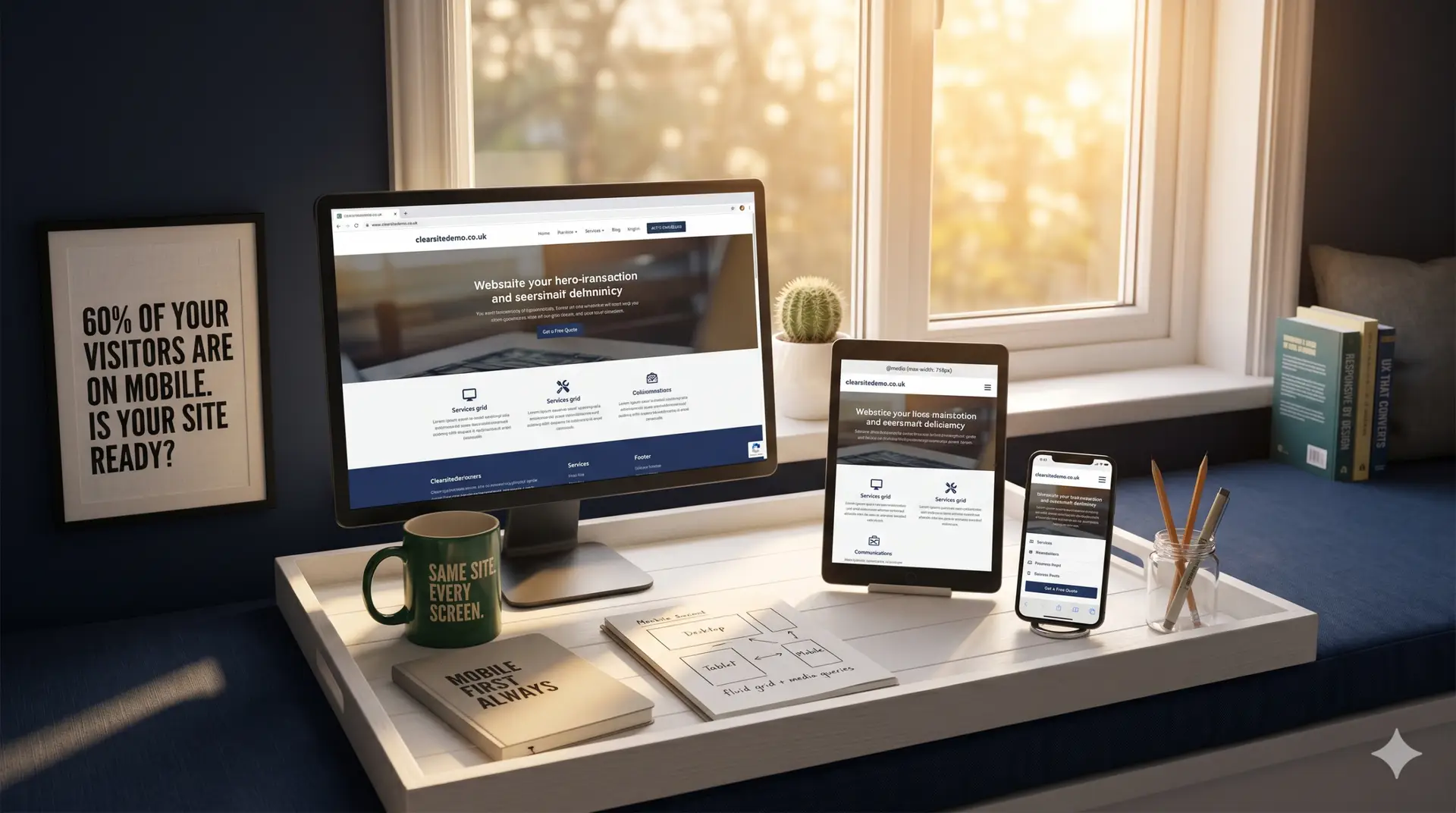
| Mobile-first is the 2026 standard | Over 60% of web traffic is now mobile. Designing for small screens first ensures your site works everywhere. |
| DIY vs. professional: know the tradeoffs | Template builders are fast and cheap but limit customization and SEO depth. A professional agency delivers a site built to convert. |
| SEO must be baked in from day one | Search engine optimization added after launch is always less effective than building it into the site’s structure from the start. |
| Launch is the beginning, not the end | Ongoing testing, content updates, and performance monitoring are what keep a website generating enquiries over time. |
Knowing how to design a website is one of the most valuable skills a business owner can develop in 2026. A well-built site isn’t just a digital brochure. It’s your hardest-working salesperson, your first impression, and often the deciding factor between a new customer picking up the phone or clicking away to a competitor. This guide walks you through every stage of the process, from setting clear goals to launching a site that actually generates enquiries. Whether you’re starting completely from scratch or rebuilding something outdated, you’ll finish with a practical, actionable plan. Expect to spend anywhere from a weekend (for a simple DIY build) to six to eight weeks (for a professionally designed, conversion-focused site).
What You’ll Need Before You Start: how to design a website
Before you design a website, gather your business assets, define your audience, and choose your tools. Having these in place before you open any design software saves hours of rework. This is particularly relevant for how to design a website.
Essential Assets and Information
- Your brand identity: logo files, brand colors, and preferred fonts
- High-quality photos or access to a stock image library
- A clear description of your business, services, and pricing (where relevant)
- Contact details, social media handles, and any existing customer reviews
- A registered domain name (your web address)
- A hosting plan, or a platform that includes hosting
Skills and Knowledge Checklist
You don’t need to be a developer to design a good website. But a basic understanding of a few concepts will make the process much smoother.
- UX (user experience): how people navigate and interact with your site
- SEO (search engine optimization): the practice of making your site visible on Google and other search engines
- Responsive design: building layouts that adapt correctly to mobile phones, tablets, and desktops
- CMS (content management system): the software (like WordPress) that lets you edit your site without coding
- Conversion rate: the percentage of visitors who take a desired action, such as filling in a contact form
According to the MDN Web Docs, the most important first step in any web project is defining what you want to accomplish before writing a single line of code or choosing a template [1]. That principle holds whether you’re building it yourself or briefing a professional.
Pro Tip: Collect five to ten competitor websites you admire before you start. Note what you like and dislike about each one. This “inspiration file” gives any designer (including yourself) a concrete starting point and dramatically speeds up the decision-making process.
Step 1: Define Your Website’s Purpose and Goals
Define your website’s primary purpose before making any design decisions. Every layout choice, color, and call to action should serve that central goal.
Identify What Your Site Must Achieve
Most business websites serve one of a handful of core purposes. Knowing yours shapes everything that follows.
- Lead generation: capturing enquiries from potential customers (most common for service businesses)
- Ecommerce: selling products directly online
- Brand credibility: establishing trust and professionalism for an offline business
- Information and support: answering customer questions and reducing inbound calls
- Booking and appointments: letting customers schedule directly online
A nursery in Surrey and an independent retailer in South London need very different websites, even if both want more customers. The nursery needs to build trust with parents quickly. The retailer needs frictionless product browsing and checkout. Getting this distinction clear at the start is what separates a website that converts from one that just exists.
Define Your Target Audience
Knowing who your visitor is shapes every design decision, from the language you use to the images you choose. Ask yourself:
- Who is my ideal customer? (Age, location, profession, pain points)
- What problem are they trying to solve when they land on my site?
- What would make them trust me enough to get in touch?
- What device are they likely using? (Mobile, desktop, tablet)
According to Adobe’s web design tutorial, identifying your target audience is one of the foundational steps in designing a website that actually performs [2]. Industry analysts suggest that sites built around a clearly defined audience profile see significantly higher engagement and lower bounce rates (the percentage of visitors who leave after viewing just one page) than those built around aesthetic preferences alone.
At Three Girls Media, we’ve found that clients who invest time in this step before any design work begins consistently end up with sites that require fewer revisions and generate more enquiries from day one. When considering how to design a website, this point stands out.
Step 2: Plan Your Site Structure and User Journey
Plan your site’s structure by creating a sitemap, a simple diagram showing every page and how they connect, before you open any design tool. This is the blueprint that keeps your user journey logical and your navigation intuitive.
Create a Sitemap
A sitemap (a hierarchical list of all your pages) prevents the common mistake of building pages in isolation and then struggling to connect them coherently. A typical small business website might include:
- Home
- About / Our Story
- Services (with individual sub-pages per service)
- Portfolio or Case Studies
- Blog or Resources
- Contact
Keep navigation to five to seven items maximum. Research from the University of Iowa’s web team confirms that clear information hierarchy is one of the most impactful factors in user satisfaction and page performance [3].
Map the User Journey
A user journey maps the path a visitor takes from landing on your site to completing a desired action. For a service business, that might look like:
- Land on the homepage via Google search
- Read a headline that confirms they’re in the right place
- Browse a services page to confirm you offer what they need
- Check an About or reviews section to build trust
- Click a contact button or fill in a form
Every page you design should move the visitor one step closer to that final action. If a page doesn’t serve the journey, question whether it needs to exist at all.
Just as the construction industry distinguishes between integrated and sequential approaches (as explored in this comparison of Design Build Vs Traditional Construction), web design benefits from an integrated approach where planning, design, and development happen in coordination rather than in isolated stages.

Step 3: Choose Your Platform and Hosting
Choose your website platform based on your technical skills, budget, and how much customization your site needs. The platform you pick affects everything from design flexibility to long-term SEO performance.
Platform Comparison for 2026
| Platform | Best For | Technical Skill Needed | SEO Capability | Approx. Monthly Cost |
|---|---|---|---|---|
| WordPress | Most business types | Low to medium | Excellent | £5–£30 (hosting) |
| Wix | Simple sites, beginners | Very low | Good | £13–£35 |
| Squarespace | Creative portfolios, small shops | Very low | Moderate | £13–£35 |
| Shopify | Ecommerce stores | Low | Good | £25–£65 |
| Custom build | Complex or unique requirements | High (or hire a developer) | Excellent | Varies significantly |
For most small and medium businesses, WordPress remains the most versatile choice as of 2026. It powers over 43% of all websites globally and offers unmatched flexibility for SEO, design, and integration with third-party tools [4]. Platforms like Canva’s website builder and Design.com are worth considering for very simple one-page sites, but one limitation is that they restrict the depth of customization available for growing businesses. For those exploring how to design a website, this matters.
Hosting: What to Look For
Your hosting provider stores your website’s files and makes them accessible online. Look for:
- 99.9% uptime guarantee
- SSL certificate included (the padlock icon that signals a secure site)
- Automatic daily backups
- UK-based servers if your audience is primarily in the UK (faster load times)
- Responsive customer support
Pro Tip: Don’t choose the cheapest hosting you can find. Slow hosting directly damages your Google rankings and frustrates visitors. A reliable host costs a few pounds more per month and is worth every penny.
Step 4: Design Your Layout and Visual Identity
Design your layout by starting with wireframes (basic structural sketches) before applying any colors or images. This approach, recommended by UX practitioners and backed by the AIDA framework (Attention, Interest, Desire, Action), ensures your design serves the user journey rather than just looking attractive.
Core Layout Principles
Good web layout isn’t about artistic flair. It’s about making it effortless for a visitor to find what they need and take action. Key principles include:
- Visual hierarchy: the most important elements (your headline, your call to action) should be the most visually prominent
- White space: breathing room between elements reduces cognitive load and makes content easier to read
- F-pattern reading: research shows most users scan pages in an F-shape, so place key content along the top and left side
- Consistent grid: align elements to a grid to create visual order and professionalism
- Clear calls to action (CTAs): buttons like “Get a Quote” or “Book a Call” should stand out and appear multiple times per page
The UX Planet guide to web design highlights that correct typography, balance, and visual geometry are among the most impactful factors in making a website design feel credible and professional [5].
Applying Your Visual Identity
Your visual identity includes your color palette, typography (font choices), and imagery style. Keep it consistent across every page.
- Limit your color palette to two or three primary colors plus neutrals
- Use no more than two typefaces: one for headings, one for body text
- Choose images that reflect your actual customers and business environment
- Ensure sufficient color contrast between text and backgrounds for accessibility (WCAG 2.2 compliance is the current standard)
From experience, one of the most common design mistakes is applying a brand’s offline identity (a printed brochure, for example) directly to a website without adapting it for screen. Colors that look rich in print can look garish on a monitor. Always test your palette on screen before committing.
Step 5: Build, Write, and Optimize Your Content
Build your website by translating your wireframes into live pages, writing copy that speaks directly to your target audience, and embedding SEO best practices into every element from the start.
Writing Copy That Converts
Your website copy does the selling. Follow these principles: This directly impacts how to design a website outcomes.
- Lead with the benefit, not the feature. “Get more enquiries from Google” lands better than “We offer SEO services.”
- Use “you” and “your.” Address the reader directly throughout every page.
- Keep paragraphs short. Two to three sentences per paragraph is the maximum for comfortable online reading.
- Include social proof. Customer testimonials, case studies, and review scores build trust fast.
- End every page with a clear next step. Tell the visitor exactly what to do and why.
The University of Michigan Library’s guidance on creating websites emphasizes that content creation and design should be considered together, not sequentially, to ensure the layout genuinely serves the information being presented [6].
On-Page SEO: The Non-Negotiables
SEO built into the structure from day one is far more effective than SEO added as an afterthought. For each page:
- Title tag: a unique, keyword-rich title of 50 to 60 characters
- Meta description: a compelling 150 to 160 character summary of the page
- H1 heading: one per page, containing your primary keyword
- Image alt text: a short description of every image for screen readers and search engines
- Internal links: connect related pages to help both users and search engines navigate your site
- Page speed: compress images and minimize code to keep load times under three seconds
Our team at Three Girls Media recommends treating SEO and design as a single discipline, not two separate workstreams. A beautiful site that Google can’t index is a missed opportunity. A well-optimized site that looks unprofessional loses the visitor the moment they arrive.
Pro Tip: Install Google Search Console (free) before you launch. It verifies your site with Google, flags any indexing errors, and gives you real data on which search queries are bringing people to your pages. This is one of the most powerful free tools available to any website owner.
Step 6: Test Thoroughly and Launch Your Site
Test every element of your website across multiple devices and browsers before going live. A single broken link or form that doesn’t submit can cost you real customers.
Pre-Launch Checklist
- Check all links. Every internal and external link should lead to the correct destination.
- Test all forms. Submit each contact form yourself and confirm you receive the notification.
- Review on mobile. Open every page on a smartphone. Does it display correctly? Are buttons large enough to tap?
- Check load speed. Use Google PageSpeed Insights to identify any performance issues before launch.
- Proofread all copy. Spelling errors and factual mistakes undermine trust immediately.
- Verify analytics is installed. Google Analytics 4 (GA4) should be tracking from the moment you go live.
- Submit your sitemap to Google Search Console. This tells Google your site exists and prompts it to start indexing your pages.
Post-Launch: What Happens Next
Launch is not the finish line. In practice, the most successful websites are those that are actively maintained and improved over time. Plan to:
- Publish fresh content (blog posts, case studies, news) at least monthly
- Review your analytics monthly to spot pages with high bounce rates or low engagement
- Run A/B tests on key pages (testing two versions of a headline or CTA to see which performs better)
- Keep your CMS, plugins, and themes updated for security
- Review your Google Search Console data weekly for any new errors
According to Forbes’ guide to designing a website, the ongoing management of a site is as important as the initial build for long-term business results [7]. Results may vary depending on your industry, competition, and how consistently you invest in content and optimization.

Common Mistakes to Avoid
The most common mistakes in web design are avoidable with a little planning. Knowing what to watch for saves time, money, and frustration.
Design and UX Errors
- Cluttered navigation: too many menu items confuse visitors. Stick to five to seven top-level pages.
- No clear call to action: every page should tell the visitor what to do next. Don’t make them guess.
- Ignoring mobile: designing desktop-first and then trying to adapt for mobile almost always produces a poor mobile experience. Start mobile-first.
- Slow load times: uncompressed images are the most common cause. Compress every image before uploading.
- Generic stock photography: images of smiling strangers in suits erode trust. Use real photos of your team, premises, or work wherever possible.
Strategy and SEO Mistakes
- Building without a brief: a common mistake is jumping straight into design without a clear written brief. Scope creep and rework are the inevitable result.
- Forgetting local SEO: if you serve a specific area (like Surrey or South London), your site needs to reflect that with location-specific content and a Google Business Profile.
- No analytics from day one: you can’t improve what you don’t measure. Install tracking before launch, not after.
- Treating launch as the endpoint: one pitfall to watch for is building a site and then leaving it untouched for years. Google rewards fresh, regularly updated content.
- Copying competitors: looking at what ranks well is useful research. Reproducing it wholesale produces a site with no differentiating value. Your site should reflect what’s genuinely unique about your business.
A Three Girls Media client recently faced exactly this situation: they had a visually attractive site built by a freelancer, but it had no SEO structure, no analytics, and no clear calls to action. Traffic was minimal and enquiries were near zero. Rebuilding with a clear brief, proper on-page SEO, and a defined user journey transformed their results within three months. That’s the difference between a website that exists and one that works. This is particularly relevant for how to design a website.
Frequently Asked Questions
1. Can I make a website in 3 days?
Yes, a basic website can go live in three days if you have your content ready and use a template-based builder like Wix, Squarespace, or Canva’s website builder. However, “live” and “effective” are different things. A three-day DIY site will likely lack proper SEO structure, brand customization, and conversion-focused design. For a site that actually generates enquiries, a professional build typically takes two to six weeks, depending on scope and complexity.
2. How much does it cost to design a website?
Costs range enormously. A DIY site on a platform like Wix or Squarespace might cost £13 to £35 per month. A freelance designer typically charges £500 to £3,000 for a small business site. A professional agency delivering a custom, conversion-focused website generally starts from £2,000 to £8,000 or more, depending on the number of pages, functionality, and ongoing support included. The key question isn’t “what’s the cheapest option?” but “what will generate the best return on my investment?”
3. Do I need to know how to code to design a website?
No. Modern CMS platforms and website builders allow you to design a website without writing a single line of code. WordPress with a page builder like Elementor or Divi gives you significant design control through drag-and-drop interfaces. That said, a basic understanding of how HTML and CSS work helps you troubleshoot issues and communicate more effectively with developers. If you want to learn the fundamentals, resources like this beginner web design course on YouTube are a practical starting point.
4. How do I design a website layout from scratch?
Start with a wireframe, which is a simple black-and-white sketch (on paper or in a tool like Figma) showing where each element sits on the page. Define your header, navigation, hero section, content areas, and footer before applying any visual design. Follow established layout conventions (logo top left, navigation top right, hero section with a clear headline and CTA) because these patterns match what users already expect. Once the structure is approved, layer in your colors, fonts, and imagery. This approach to how to design a website layout prevents the common mistake of designing aesthetics first and struggling to fit content in afterwards.
5. What makes a website design effective for SEO?
Effective SEO design starts with clean, logical site structure and fast load times. Each page should target a specific keyword, with that keyword appearing naturally in the title tag, H1 heading, first paragraph, and image alt text. Mobile responsiveness is a direct Google ranking factor as of 2026. Internal linking between related pages helps search engines understand your site’s structure. Content quality matters enormously: Google’s Helpful Content guidelines reward pages that genuinely answer the searcher’s question rather than just repeating a keyword.
6. Should I build my website myself or hire a professional?
It depends on your budget, your time, and what you need the site to do. DIY is reasonable for a simple informational site where you have time to learn the tools and aren’t relying on the site for significant revenue. For businesses that need to compete on Google, generate consistent enquiries, or sell online, a professionally designed site almost always delivers a better return. One limitation of DIY builds is that they often look template-standard and lack the conversion-focused UX that turns visitors into customers. A professional agency brings both design expertise and strategic thinking to the project.
Bringing It All Together
Knowing how to design a website is ultimately about making a series of deliberate decisions: who the site is for, what it needs to achieve, how visitors will navigate it, and how you’ll measure success. The steps in this guide, from defining your purpose and planning your structure to choosing the right platform, designing with intention, and optimizing for search, apply whether you’re building your first site or rebuilding an existing one.
The difference between a website that generates enquiries and one that doesn’t usually comes down to how much thought went in before the first pixel was placed. Structure, clarity, and user focus beat visual complexity every time.
If you’d rather hand this process to a team that has done it hundreds of times across healthcare, education, retail, and professional services, Three Girls Media is here to help. We bring 10+ years of award-winning experience, first-hand ecommerce expertise, and a UX-led approach to every project, delivering websites that work as hard as the businesses behind them.
Recommended Articles
Explore more from our content library: