| Key Insight | Explanation |
|---|---|
| Maintenance is not optional | An unmaintained website accumulates security vulnerabilities, broken links, and performance issues that cost more to fix later than to prevent. |
| Core services vary by plan tier | Basic plans cover updates and backups; premium plans add SEO monitoring, uptime alerts, and content changes. |
| Cost depends on site complexity | Small business sites typically run £50–£300/month in the UK; ecommerce sites cost more due to transaction security and inventory management. |
| WordPress needs frequent attention | WordPress powers over 43% of all websites as of 2026, making plugin and core updates a critical, recurring maintenance task. |
| Neglect affects SEO rankings | Slow load speeds, broken links, and outdated content all signal poor quality to search engines, reducing your organic visibility. |
| Agency vs. DIY trade-offs | Hiring a professional agency saves time and reduces risk; DIY tools are cheaper but require technical knowledge and consistent discipline. |
Your website is working (or failing) for your business every single hour of the day. Website maintenance services are the ongoing technical and content tasks that keep a site secure, fast, and visible in search results. Without them, even a beautifully designed site will deteriorate within months. This guide walks you through exactly what maintenance involves, what it costs in 2026, and how to set up a process that protects your investment. Whether you run a small business in Surrey, a healthcare practice in South London, or an independent school, you’ll finish this guide knowing precisely what to do next. Expect to spend about 20 minutes reading; implementing the full process takes a few hours upfront and a manageable recurring commitment each month.

What Are Website Maintenance Services?
Website maintenance services are the scheduled and on-demand tasks that keep a live website secure, functional, and optimised after launch. They cover everything from software updates and security patches to content refreshes, performance tuning, and broken-link fixes. Think of it as the equivalent of servicing a car: skip it long enough and a small issue becomes an expensive breakdown.
Why Maintenance Matters More in 2026
The threat landscape has shifted significantly in recent years. Cybersecurity firm reports indicate that automated bots now probe websites for known vulnerabilities within hours of a patch being publicly disclosed. For WordPress sites specifically, which power over 43% of all websites as of 2026 [1], an unpatched plugin can become an entry point for malware in days, not weeks.
Beyond security, Google’s Core Web Vitals framework (introduced as a ranking signal and refined continuously since) means that slow pages and poor user experience metrics directly hurt your position in search results. Industry analysts suggest that a one-second delay in page load time can reduce conversions by up to 7%, a figure that compounds painfully for ecommerce businesses.
The Scope of a Typical Maintenance Plan
According to Elevation Web, the ten essential maintenance tasks every website needs include [2]:
- Security monitoring and malware scanning
- CMS, plugin, and theme updates
- Automated and verified backups
- Performance and speed optimisation
- Broken link and 404-error resolution
- Uptime monitoring with automated alerts
- SSL certificate management
- Content updates and accuracy checks
- SEO health checks (sitemaps, crawl errors, metadata)
- Analytics review and reporting
Not every plan includes all ten. The tier you choose should match your site’s complexity and the risk you’re willing to carry.
What You’ll Need Before You Start
Before setting up or buying website maintenance services, gather the tools and access credentials listed below. Missing any one of these will slow the process down considerably.
Access and Credentials
- Hosting control panel login (cPanel, Kinsta, WP Engine, etc.)
- CMS admin credentials (WordPress dashboard, Drupal, or your platform of choice)
- Domain registrar login to manage DNS and SSL renewals
- Google Search Console access to monitor crawl health and indexing status
- Google Analytics or equivalent for traffic and performance data
- FTP or SFTP credentials for file-level access if needed
Tools and Software
- A backup solution (UpdraftPlus, BackupBuddy, or server-level snapshots)
- A security plugin or service (Wordfence, Sucuri, or Cloudflare)
- An uptime monitor (UptimeRobot free tier covers most small sites)
- A staging environment where you can test updates before applying them to the live site
- A task management tool to track recurring maintenance schedules
Pro Tip: Always create a full site backup before running any CMS or plugin updates. Restoring from a clean backup takes minutes; rebuilding a corrupted site from scratch takes days.
Step 1: Audit Your Current Website
Auditing your website means systematically checking every layer of the site for security gaps, performance issues, and content problems before you establish a maintenance routine. This baseline audit tells you what state your site is actually in, not what you assume it to be.
How to Run a Website Audit
- Check your CMS version. Log into your WordPress (or other CMS) dashboard and confirm you’re running the latest stable version. Outdated core software is the single most common vulnerability exploited in attacks [3].
- List all installed plugins and themes. Identify anything that hasn’t been updated in the past 90 days or that is no longer actively maintained by its developer.
- Run a speed test. Use Google PageSpeed Insights or GTmetrix to get your Core Web Vitals scores. Aim for a Largest Contentful Paint (LCP) under 2.5 seconds.
- Crawl for broken links. Use Screaming Frog (free up to 500 URLs) or a similar tool to identify 404 errors and redirect chains.
- Review your SSL certificate. Confirm it’s valid and not due to expire within the next 30 days. An expired SSL triggers browser warnings that destroy visitor trust immediately.
- Check Google Search Console for crawl errors, manual actions, or security warnings Google may have flagged.
- Assess content accuracy. Scan key pages for outdated phone numbers, pricing, staff names, or service descriptions.
A Three Girls Media client running a healthcare practice in Caterham recently came to us having not audited their site in two years. We found 47 broken internal links, three plugins with known security vulnerabilities, and a page load time of 8.3 seconds on mobile. Each issue was fixable, but none of them would have been caught without a structured audit.
Step 2: Choose the Right Maintenance Plan
Choosing the right website maintenance plan means matching your site’s technical complexity, traffic volume, and business risk to the level of ongoing support you actually need. Overpaying for services you don’t use is wasteful; underpaying and leaving critical tasks uncovered is dangerous.
Maintenance Plan Tiers Compared
| Plan Tier | Best For | Typical UK Monthly Cost | Core Inclusions |
|---|---|---|---|
| Basic | Brochure sites, low-traffic blogs | £50–£120/month | Updates, backups, uptime monitoring |
| Standard | SMB service sites, healthcare practices | £120–£300/month | All basic tasks + security scans, content edits, SEO health checks |
| Ecommerce | Online shops, WooCommerce sites | £300–£600/month | All standard tasks + payment gateway checks, product updates, PCI compliance monitoring |
| Enterprise | High-traffic, custom web applications | £600+/month | All ecommerce tasks + dedicated support, SLA guarantees, performance optimisation |
For context, TechSoup’s essentials-tier plan offers up to five hours of website maintenance services per month for $499, which gives you a useful US benchmark [4]. UK pricing is broadly comparable at current exchange rates.
Agency vs. DIY vs. Freelancer
- Agency: Highest cost, lowest risk. You get a team with structured processes, accountability, and the ability to handle issues outside normal hours.
- Freelancer: Mid-range cost, moderate risk. Quality varies significantly. One limitation is that a sole freelancer has no cover if they’re unavailable when something breaks.
- DIY tools: Lowest cost, highest time investment. Tools like ManageWP or MainWP automate many tasks but require you to understand what you’re doing. A common mistake is setting up automated updates without a staging environment to catch conflicts first.
For broader digital support beyond maintenance, businesses exploring integrated service models can review what a full-service digital team offers through resources like Upficient’s service overview, which illustrates how maintenance fits within a wider digital strategy.
Step 3: Implement Core Maintenance Tasks in 2026
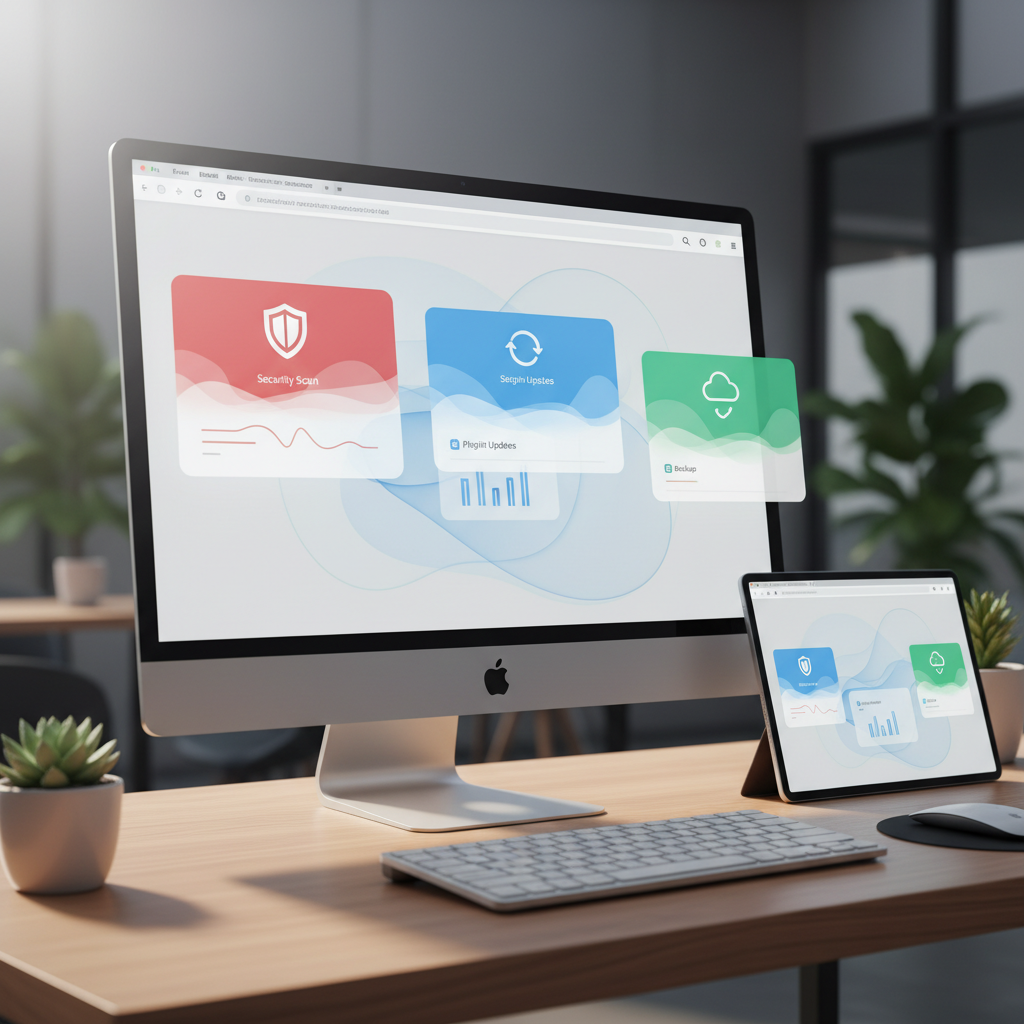
Implementing core maintenance tasks means executing the specific technical actions that keep your site healthy on a weekly, monthly, and quarterly schedule. A structured cadence is what separates proactive maintenance from reactive firefighting.
Weekly Tasks
- Check uptime logs. Review your uptime monitor for any downtime events in the past seven days and investigate the cause if found.
- Apply available plugin and theme updates to your staging environment first, then push to live once confirmed stable.
- Scan for malware. Run a security scan using Wordfence, Sucuri, or your hosting provider’s built-in tool.
- Review form submissions and contact points to confirm they’re delivering to the correct inbox and not silently failing.
Monthly and Quarterly Tasks
- Run a full backup and verify the restore process works. A backup you haven’t tested is not a backup you can trust.
- Audit page speed scores using Google PageSpeed Insights. Flag any pages that have dropped below the 75/100 threshold.
- Review Google Search Console for new crawl errors, manual actions, or drops in indexed pages.
- Update content on key pages: pricing, team bios, service descriptions, and any time-sensitive information.
- Check all external links to confirm they still point to live, relevant pages.
- Review analytics data for unusual traffic drops or spikes that may indicate a technical issue or a security event.
Pro Tip: Use a shared Google Sheet or project management tool like Trello to track your maintenance schedule. Assign each recurring task a due date and owner. Without documented ownership, tasks get skipped during busy periods.
According to WebsiteMaintenanceServices.org’s 2026 rankings, the best-performing maintenance providers differentiate themselves through proactive monitoring rather than reactive fixes [5]. The distinction matters: reactive maintenance means you find out about a problem when a customer emails to say your site is down. Proactive maintenance means your monitoring tool alerts you within minutes.
Step 4: Monitor Performance and Security Continuously
Monitoring website performance and security means having automated systems in place that alert you to problems the moment they occur, not hours or days later. Continuous monitoring is the technical backbone of any professional website maintenance services package.
Performance Monitoring Essentials
Core Web Vitals (a Google framework for measuring real-world user experience) give you three headline metrics to track:
- Largest Contentful Paint (LCP): How long the main content takes to load. Target under 2.5 seconds.
- Interaction to Next Paint (INP): How quickly the page responds to user input. Target under 200 milliseconds. Note that INP replaced First Input Delay (FID) as a Core Web Vital in March 2024.
- Cumulative Layout Shift (CLS): How much the page layout shifts unexpectedly during loading. Target under 0.1.
Missing these thresholds doesn’t just annoy users. It directly affects your search rankings. Google’s documentation confirms that Core Web Vitals are a ranking factor, meaning a slow site is a site that’s harder to find [6].
Security Monitoring Essentials
- Automated malware scanning: Daily scans catch infections before they spread or get flagged by Google’s Safe Browsing database.
- Login attempt monitoring: Brute-force attacks (automated attempts to guess your admin password) are extremely common. Rate-limiting and two-factor authentication (2FA) are standard defences.
- SSL/TLS certificate expiry alerts: Set reminders 30 and 7 days before expiry. An expired certificate shows a security warning to every visitor.
- Dependency vulnerability alerts: Services like WPScan or Snyk notify you when a plugin or library you use has a newly disclosed vulnerability.
In one project we handled for a nursery in Warlingham, automated monitoring caught a malware injection within four hours of it being planted. Because we had clean daily backups, the restore took under 30 minutes. Without monitoring, the infection could have sat undetected for weeks, damaging both the site’s reputation and its Google rankings.
Step 5: Review, Update, and Improve Regularly
Reviewing and improving your website on a regular cycle means treating maintenance not as a set-and-forget task but as an ongoing investment in your site’s competitive performance. The best website maintenance services include a strategic review layer, not just technical upkeep.
Quarterly Strategic Reviews
- Benchmark against competitors. Check whether competitors in your area have launched new pages, changed their messaging, or improved their site speed since your last review.
- Review your top 10 landing pages for conversion rate (the percentage of visitors who take a desired action, such as calling or submitting a form). Identify any pages with high traffic but low conversion and prioritise them for improvement.
- Refresh evergreen content. Update statistics, replace outdated references, and add new sections to high-performing blog posts. This signals freshness to search engines and can recover lost rankings.
- Test your site on new devices and browsers. Browser updates and new device screen sizes can break layouts that worked fine six months ago.
Annual Deep Reviews
- Reassess your hosting plan against actual traffic and storage usage.
- Review your CMS platform version and plan for any major upgrades.
- Audit your entire plugin and third-party integration stack for redundancy or obsolescence.
- Revisit your site’s information architecture (the structure and labelling of your navigation) to ensure it still matches how your customers think about your services.
At Three Girls Media, we’ve found that clients who treat their website as a living asset rather than a one-time project consistently outperform competitors in local search rankings within 12 months. The compounding effect of regular content updates, technical health, and performance improvements is measurable. Results do vary depending on industry and starting point, but the directional trend is consistent.
Pro Tip: Set a recurring calendar event every 90 days titled “Website Strategic Review.” Block two hours, pull up your analytics, and ask one question: “Is this site working harder for my business than it was three months ago?” If the answer is no, identify one specific change to make before the next review.
Common Mistakes to Avoid
The most damaging website maintenance mistakes are the ones that feel harmless until they suddenly aren’t. These are the pitfalls we see most frequently when businesses come to us after something has gone wrong.
Technical Mistakes
- Skipping the staging environment. Applying plugin updates directly to a live site without testing first is the most common cause of sudden site breakages. Always test on a staging copy first.
- Ignoring backup verification. Many businesses have backups running but have never tested whether they can actually restore from them. Test your restore process at least once per quarter.
- Using outdated or abandoned plugins. A plugin that hasn’t been updated in 18 months is a security risk, regardless of whether it’s currently causing visible problems.
- Letting SSL certificates expire. Automated renewal should be standard, but it fails occasionally. Monitor expiry dates manually as a secondary check.
- Ignoring mobile performance. As of 2026, Google uses mobile-first indexing for all sites. A page that loads quickly on desktop but slowly on mobile will still rank poorly.
Strategic Mistakes
- Treating maintenance as purely reactive. Waiting until something breaks is always more expensive than preventing it. A monthly retainer with a professional provider costs far less than emergency recovery work.
- Confusing hosting with maintenance. Hosting keeps your site live. Maintenance keeps it secure, fast, and accurate. They’re different services, and many hosting plans don’t include maintenance tasks.
- Neglecting content updates. Search engines interpret stale content as a signal that a site is no longer actively managed. Regular content refreshes are part of a complete maintenance strategy, not an optional extra [7].
- No documented process. If the person managing your site leaves or becomes unavailable, an undocumented maintenance routine disappears with them. Document every recurring task, tool, and credential in a shared secure location.

Sources & References
- TechSoup, “Website Maintenance Services: Essentials – Monthly Subscription,” 2026
Frequently Asked Questions
1. How much should I pay for someone to manage my website?
In the UK, professional website management typically costs between £50 and £300 per month for small business sites, depending on the scope of work and the provider’s experience. Standard business sites with regular content updates, security monitoring, and SEO health checks sit in the £120–£300 range; ecommerce sites with payment gateway monitoring and inventory management generally start at £300 per month. The right price is the one that reflects the actual risk and revenue your site represents to your business. A site generating £10,000 in monthly enquiries deserves more investment in maintenance than one generating £500.
2. How much do they charge for website maintenance?
Website maintenance services are priced by plan tier and site complexity. Basic plans covering updates, backups, and uptime monitoring typically run £50–£120 per month in the UK. Standard plans for SMB service sites, including security scans, content edits, and SEO checks, range from £120 to £300 per month. Ecommerce and enterprise sites with higher security requirements and more complex update schedules cost £300 to £600 or more per month. Hourly rates for ad-hoc maintenance work from freelancers generally run £40–£80 per hour in the UK market as of 2026. Always confirm exactly what’s included in a quoted price before committing.
3. What do website maintenance services include?
Professional website maintenance services include a comprehensive range of technical and content tasks: CMS, plugin, and theme updates; automated and verified backups with tested restore capability; security scanning and malware removal; SSL certificate management; uptime monitoring with real-time alerts; broken link identification and fixing; Core Web Vitals performance monitoring; Google Search Console health checks; and regular content updates to keep pages accurate and fresh. Premium tiers also include SEO reporting, conversion rate analysis, and strategic quarterly reviews. The distinction from basic hosting is important: hosting keeps your site online; maintenance keeps it secure, fast, and competitive.
4. Do I need website maintenance if I have a WordPress site?
Yes, WordPress sites need maintenance more urgently than most, not less. WordPress’s open-source nature means vulnerabilities in its core software, themes, and plugins are publicly documented and actively exploited by automated bots. As of 2026, WordPress powers over 43% of all websites globally, making it the most targeted CMS platform. Regular plugin updates, security hardening, and malware scanning are non-negotiable for any WordPress site that handles customer data or generates business enquiries.
5. Can I do website maintenance myself?
You can handle basic maintenance tasks yourself if you’re comfortable in your CMS dashboard and understand the risks. Tools like UpdraftPlus for backups, Wordfence for security, and UptimeRobot for monitoring cover the fundamentals at low cost. The practical challenge is consistency: maintenance tasks get deprioritised when you’re busy, which is exactly when a problem is most likely to go unnoticed. Hiring a professional for website maintenance services removes that dependency on your own availability and brings structured expertise that catches issues a non-specialist would miss.
6. How often should a website be maintained?
Core technical tasks like plugin updates and security scans should run weekly. Performance checks, analytics reviews, and content audits work well on a monthly cycle. Strategic reviews comparing your site against business goals and competitor performance are best done quarterly. An annual deep review should cover hosting plans, platform versions, and site architecture. The exact frequency depends on how frequently your CMS platform releases updates and how active your site is, but no business site should go more than two weeks without someone checking its security and update status.
Keeping Your Website Working for Your Business
A well-maintained website isn’t a technical luxury. It’s a business asset that either earns its keep or quietly costs you customers. The steps in this guide give you a clear, repeatable process: audit your current state, choose a plan that matches your risk, implement a structured task schedule, monitor continuously, and review strategically every quarter.
Professional website maintenance services remove the guesswork and the risk of things slipping through the cracks during busy periods. For businesses in Surrey, South London, and the surrounding area, Three Girls Media provides ongoing hosting and support as part of a full-service approach that keeps your site secure, fast, and visible long after launch. Our team brings 10+ years of hands-on experience across healthcare, education, ecommerce, and local service businesses, so your maintenance isn’t handled by someone following a generic checklist.
Don’t wait for something to break before you act. A proactive maintenance plan costs a fraction of emergency recovery work and protects the investment you’ve already made in your website.
Recommended Articles
Explore more from our content library: