Footer links are among the most underutilized elements in website design, yet they play a crucial role in both search engine optimization and user navigation. When implemented correctly, these links can improve your site’s structure, enhance user experience, and contribute to better search rankings.
This guide covers everything you need to know about footer links, from understanding their SEO value to implementing best practices that benefit both users and search engines.
What Are Footer Links?
Footer links are hyperlinks located in the bottom section of your website pages, typically appearing consistently across your entire site. Unlike contextual links that vary from page to page, footer links remain constant, creating what SEO professionals call “sitewide links.”
These links serve two primary functions. For visitors, they provide a navigational safety net when users reach the bottom of a page. For search engines, footer links help crawlers understand your site architecture and identify which pages you consider most important. While Google relies heavily on XML sitemaps for understanding site structure, internal links throughout your site, including footer links, still contribute to how search engines interpret your content hierarchy.
SEO Value of Footer Links
Footer links won’t dramatically transform your search rankings overnight. However, they play an important supporting role in a comprehensive SEO strategy by contributing to your internal linking structure and helping search engines discover and understand your content.
How Search Engines View Footer Links
When you link to a page from your footer, you’re signaling to search engines that this page is important enough to feature on every page of your website. Google evaluates these links through the lens of user intent, determining whether they exist to help visitors navigate or simply to manipulate rankings.
External footer links carry minimal SEO value. Google recognized years ago that websites were selling or trading footer links to manipulate PageRank. As a result, external footer links now carry almost no weight in ranking algorithms and could even trigger spam filters if overused.
User Experience Impact on SEO
The most valuable aspect of footer links for SEO is their contribution to user experience. When visitors easily find what they need, they stay longer, engage with more pages, and convert at higher rates. These behavioral signals indirectly support your SEO by demonstrating to search engines that your site provides value.
Essential Elements for Website Footers
Deciding which links belong in your footer requires understanding what your visitors actually need. While every website differs, certain content types consistently prove valuable.
Company Information Links
Your About page gives visitors context about who you are and what you stand for. Contact information removes friction for people ready to reach out. For businesses with physical locations, including your address or a link to Google Business Profile helps local customers find you.
Primary Category Pages
Link to your main product or service categories rather than individual items. An e-commerce site might link to “Men’s Clothing” and “Women’s Clothing” instead of specific products. A service business might feature “Consulting” and “Training” rather than every service variation.
Legal Documentation
Privacy policies, terms of service, and disclaimers protect your business while building trust. Many regions legally require these disclosures, making footer placement both practical and compliant.
Customer Support Resources
FAQ sections, knowledge bases, tutorial libraries, or dedicated support pages serve visitors who need assistance. Footer placement ensures support resources remain accessible regardless of where someone lands on your site.
Footer Link Organization Best Practices
How you arrange your footer links matters as much as what you include. Proper organization guides the eye and helps visitors quickly locate what they need.
Use Vertical Columns
Arrange links in vertical columns rather than long horizontal rows. Most users scan from left to right, so placing your most important link groups on the left gives them visual priority.
Group by Category
Organize links under clear headings like “Products,” “Company,” “Support,” and “Legal.” This structure allows users to scan categories first, then drill down to specific pages.
Limit Link Quantity
Each footer section should contain five to eight links maximum. Google’s John Mueller has stated that too many internal links can confuse search engines about your site’s structure, making it harder for crawlers to understand which pages truly matter. Your entire footer should be visible without excessive scrolling on desktop devices.
Optimizing Anchor Text for Footer Links
Anchor text is the clickable text that makes up a hyperlink. In your footer, where links appear on every page, choosing the right anchor text becomes particularly important for both SEO and user experience.
Be Descriptive and Specific
Instead of vague phrases like “Click here” or “Learn more,” use anchor text that clearly indicates the destination. Google recommends anchor text that is descriptive, concise, and accurately represents the linked content. “About Our Company,” “Product Catalog,” and “Customer Support” immediately communicate where the link leads.
Keep It Concise
Footer links should be brief enough to scan quickly while remaining clear. Two to four words typically strike the right balance between clarity and brevity.
Avoid Keyword Stuffing
While you want descriptive anchor text, forcing exact-match keywords into every footer link looks spammy. If your footer links read like “Dallas plumber,” “Houston plumber,” “Austin plumber,” you’ve prioritized search engines over people, which can actually harm your rankings.
Mobile Optimization for Footer Links
With the majority of web traffic coming from mobile devices, how your footer performs on smartphones directly impacts both user experience and search performance.
Implement Responsive Design
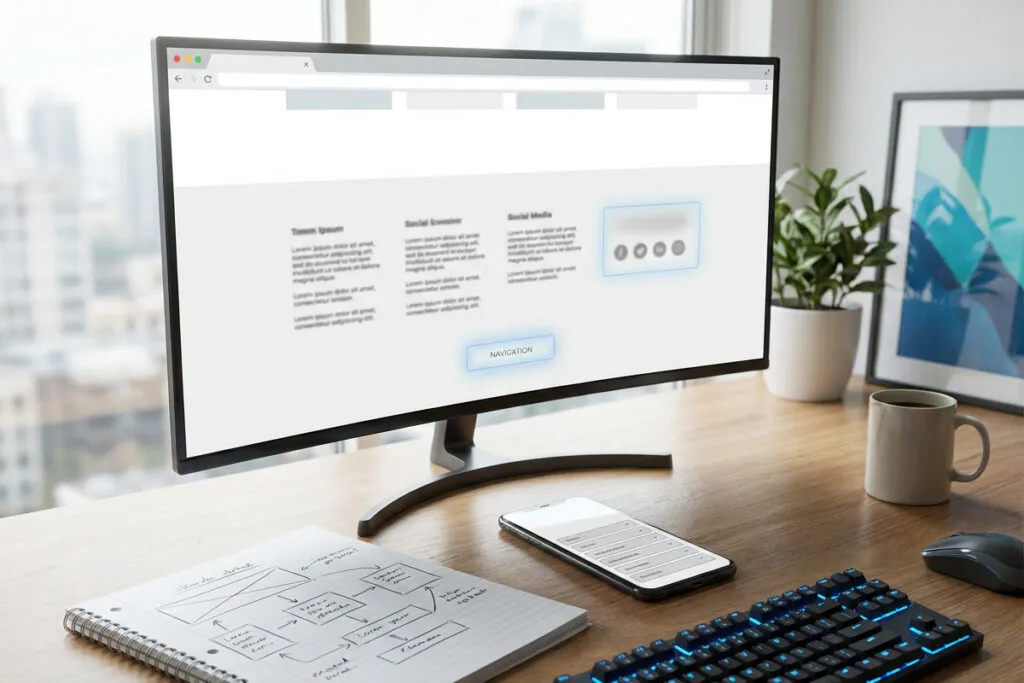
Your footer should automatically adjust to different screen sizes. On desktop, you might display footer links in four columns. On mobile, those columns should stack vertically or collapse into expandable accordion sections to avoid endless scrolling.
Ensure Touch-Friendly Spacing
Mobile users navigate with fingers, not precision cursors. Links need adequate spacing between them to prevent accidental clicks. Small, cramped links create frustration and increase bounce rates.
Consider Collapsible Sections
Many effective mobile footers use collapsible sections where users tap a category heading to reveal the links within. This approach conserves vertical space while still providing access to all footer content.
Internal vs External Footer Links Strategy
The vast majority of your footer links should point to other pages on your website. Internal links keep visitors engaged and help search engines understand your site structure.
When to Use External Links
External links serve limited purposes in footers. The main exceptions are social media profiles and, for local businesses, links to your Google Maps listing. These provide genuine value by helping users connect with your brand on other platforms.
Avoid Promotional External Links
Linking to partner websites, affiliate sites, or promotional destinations from your footer offers little value to users and can raise red flags with search engines. If you must include such links, add a nofollow attribute to signal these aren’t editorial endorsements.
Position Social Links Appropriately
Since social links are secondary to your internal navigation, position them on the right side where they’re accessible but not dominant. Many effective footers place social icons in the far right column or as a horizontal row beneath the main footer content.
Adding Conversion Elements to Footers
Your footer represents a final opportunity to encourage visitor action. Thoughtfully placed conversion elements can capture users ready to take the next step.
Newsletter Signup Forms
Visitors who’ve scrolled to the bottom of your page have engaged with your content. A simple email subscription form with a clear value proposition invites them to stay connected. Keep these forms minimal—typically just an email field and subscribe button with a brief line explaining subscriber benefits.
Strategic Call-to-Action Buttons
A button linking to your free trial, product demo, consultation request, or other conversion action gives interested visitors a clear next step. Make sure the CTA feels natural rather than intrusive and is visually distinct from regular footer links.
Common Footer Link Mistakes to Avoid
Understanding common pitfalls helps you create effective footer links that support rather than undermine your SEO efforts.
Excessive Linking
When sites include 50, 100, or more footer links, they create visual clutter and dilute each link’s value. Excessive links make it harder for search engines to understand your site’s structure and which pages matter most.
Broken Links
Because footer links appear on every page, a single broken link creates problems across your entire site. Regular audits using tools like Google Search Console help catch these issues before they frustrate users or signal quality problems to search engines.
Inconsistent Footer Design
While minor variations between homepage and internal page footers might make sense in specific situations, dramatic differences create disorientation. Users expect the footer to be a constant navigational element they can rely on.
Poor Mobile Experience
A footer that works beautifully on desktop but becomes unusable on mobile alienates the majority of your traffic. Test thoroughly on actual devices to ensure your footer enhances rather than hinders mobile user experience.
Footer Links in Your Overall Internal Linking Strategy
Footer links exist within the broader context of your site’s internal linking structure. While they play a supporting role, they shouldn’t be your primary method of linking important pages.
Prioritize Contextual Links
Links within your actual content, surrounded by relevant text and keywords, provide stronger signals to search engines than sitewide footer links. When you link to a page from within a blog post or service description, you’re creating contextual relationships that help search engines understand topical relevance.
Use Footer Links as Supplements
Your most important pages should receive contextual links from relevant content throughout your site. The footer then provides an additional, consistent pathway to these pages without being your sole linking method.
Maintain Your XML Sitemap
While internal links help crawlers discover content, your XML sitemap explicitly tells search engines which URLs to index. Make sure your sitemap is error-free and submitted through Google Search Console.
Footer Links and Modern SEO
Search engine optimization continues evolving, with Google’s algorithms becoming increasingly sophisticated at understanding user intent and content quality. In this landscape, footer links support your broader SEO strategy rather than serving as a primary ranking factor.
Modern SEO prioritizes creating genuinely useful content that satisfies searcher intent. Your footer contributes to this goal by making content more accessible and helping visitors navigate your site efficiently. When people find what they need quickly, they stay longer and engage more deeply, signaling to search engines that your site provides value.
The rise of AI-powered search tools adds another dimension. As systems crawl websites to answer questions, consistent information in your footer helps these tools understand your business. Clear links to your About page, products, and contact information make it easier for AI to accurately represent your company.
Your footer represents an often-overlooked opportunity to enhance how people interact with your website while supporting your broader SEO goals. By focusing on user needs, maintaining clean organization, and avoiding manipulative tactics, you create a footer that serves visitors effectively while earning credibility with search engines. The most successful footers provide straightforward access to important information, maintain visual clarity, and work seamlessly across all devices.